

















< Previous | Contents | Manuals Home | Boris FX | Next >
Project Selector Reference
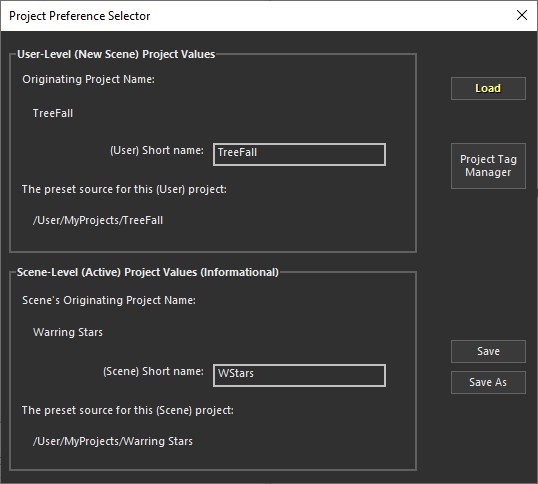
The Projector Selector dialog (accessed from File/Project Selector) allows you to manage project-level presets—basically a copy of the all the /User presets. Depending on what you work on, your project-level presets might be for all shots in a specific film or music video, or for a particular end customer.
The settings on this panel are in two sections: at top, the settings for New Scenes, ie preferences; and at bottom the settings for the current scene.
Tip: In most cases, you should update project-level presets only directly after doing a File/Close, which sets up a new file with the /User/Current settings. Tweak whatever you need to tweak, then save. This ensures that when you save the settings, you aren’t saving too many other things that you’ve done in the course of handling a normal shot. If you need to remove some items from a project preset, you can likely use Edit/Manage Workflow Presets to do that.
©2026 Boris FX, Inc. — UNOFFICIAL — Converted from original PDF.
