

















< Previous | Contents | Manuals Home | Boris FX | Next >
Creating a Stabilizing Rig
SynthEyes stabilization is physically-based: it corresponds to an actual physical gag consisting of a projection screen carrying the original footage, which moves rapidly relative to a secondary camera to "re-shoot" the scene to produce the stabilized images. This normally happens only mathematically inside the image preprocessor, but we can recreate this setup in SynthEyes's 3D environment in a way that can be exported to 3D animation packages.
Better yet, this can all be done by a straightforward script, the Stabilization Rig Creator.
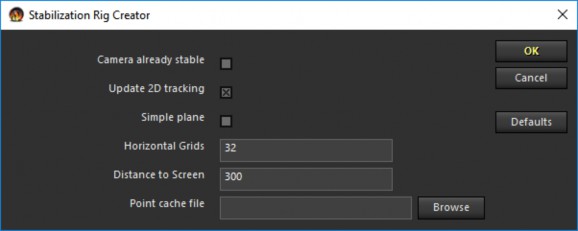
We'll run through two overall workflow using it, one where a final 3D track is NOT required, and one where it is. A final subsection describes how to remove the rig and restore the underlying tracking if you need to refine it.
©2026 Boris FX, Inc. — UNOFFICIAL — Converted from original PDF.
