 JG McQuarrie |
March 19, 2026
JG McQuarrie |
March 19, 2026


Everyone who wants to produce music has to start somewhere. Nobody goes from having no knowledge to producing the next great viral hit or number one song. Sometimes the amount of information you need to learn can seem daunting. However, it's remarkable what can be achieved in a very short space of time with a little know-how and understanding. Which is exactly what this guide is for!
What is Music Production? Fundamentals
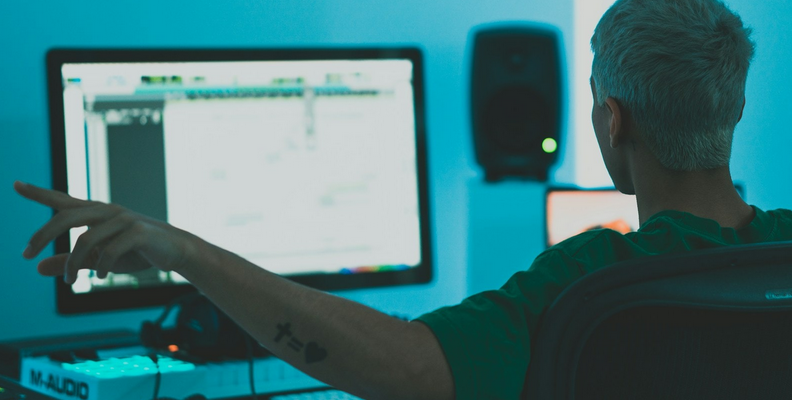
No single definition can ever capture exactly what the role of a music producer is. At times, it can be an insanely complex process of pulling together dozens of different sounds, voices, and instruments, and sometimes it can be quite straightforward.
However, if there is one definition, it is probably that the producer oversees the whole creative process of putting a song together, from the initial recording through to the final product. Sometimes the producer can be involved in the songwriting process, sometimes not - it can vary from genre to genre and artist to artist.
Begin with the fundamentals of music theory and composition to start music production. Then choose basic equipment like headphones, an audio interface, and a Digital Audio Workstation (DAW). The production process involves composing, arranging, recording, and then mixing and mastering your tracks. So learn by experimenting, watching tutorials, and practicing with your software.
There are certain steps that pretty much every producer will need to learn how to get to grips with music production, and these form the core tasks a producer will carry out.
Recording
Obviously, the first thing that needs to be done is the recording. Different recording techniques can be used depending on what type of music you're working on. A rock band is likely to have very different requirements from a band producing electronic music, and ensuring you capture the artist's performance at the very highest quality is key to ensuring a great final track. Sometimes recording is done by recording engineers within a studio, sometimes it's the producer's job, but a good producer should have a good handle on how to capture the perfect performance.
Editing
Knowing what to keep and what to throw away, which performance was great and which wasn't, is an art more than a science. It's a skill that's developed over time, and it will vary from artist to artist and project to project. However, it's also a very important one because it will shape the final track. Once you've decided on that, you're going to have to edit everything so that it fits together.
This can be a short, simple process that just involves assembling each track where it should be, but it can also be much more involved, especially if you want to combine tracks or elements from different takes or different sources. This is particularly true of electronic music, where you might be incorporating a large variety of loops, samples, and other elements to construct the whole track. Whatever genre you're working in, editing the track and putting it together is a vital stage that needs time and care.
Mixing
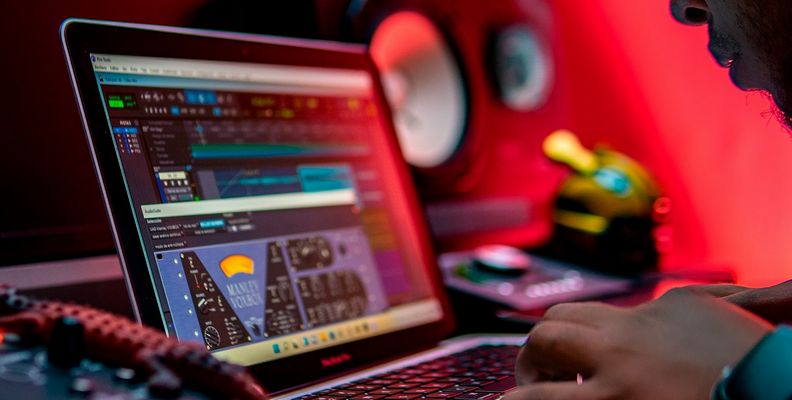
Once the performance has been captured, the next stage is mixing and mastering. Mixing comes first and is one of the most crucial aspects of producing music. Mixing is the bringing together of all of the elements of the song so they sound like they belong together in the final product. There's a huge variety of tools that a music producer can use to achieve this, including EQing, balancing, panning, compressing, and many, many more. However, the ultimate aim is all about shaping and controlling the sounds so that everything comes together into one cohesive whole.
Mastering
Mastering is the final step of the production process and should always be carried out after mixing has been completed. When you have your mix completed, mastering is the technique of making the final product sound as good as possible. This can involve equalizing the entire track to ensure everything is clear and nothing sounds muddy, compressing the final track to ensure the overall dynamic of the song sounds right, and using a limiter to ensure the song doesn't get too loud or that it complies with broadcast standards. At this stage, you may also want to add metadata to the track, export it in the correct format (MP3 for small file sizes, FLAC for lossless, and so on), and so on, so the track is in its final, perfect form.
Best Software for Music Production in 2026
1. Boris FX Music Studio
If you're just starting out and learning how to produce music, then Boris FX's Music Studio is a great place to begin your journey. Everything a budding producer could need is there, and you'll have all the tools you require to produce fantastic music.
The interface is clean, simple, and uncluttered, making it easy to get to grips with the software, but this doesn't undermine the power of the DAW (Digital Audio Workstation) - everything is easy to reach, and all the tools are at your fingertips.
If you're working with electronic instruments, there's excellent MIDI support. This is again simple to use - in stark contrast to some DAWs - but powerful and allows you to combine any MIDI VST plugins for ultimate variety.
Editing, mixing, and mastering are an absolute breeze, and the software is fully featured, so you have the chance to learn skills before moving to more advanced software while still producing great-sounding music.
Modern music production can be a complex, difficult-to-navigate landscape, but Music Studio makes it easy. You'll be expressing your musical ideas in no time at all!
Operating System: Windows only
Price: Free trial or $2.92 p/m
Pros:
- Simple to learn, powerful enough to deliver.
- Great MIDI support.
- Easy upgrade path to Boris FX's other DAWs when you're ready to move on.
Cons:
- Windows only for the time being, so if you're a Mac or Linux user, you're out of luck.
2. Audacity
Audacity has been around for a very long time and has become a beloved piece of software, and for a very good reason - it's great! It started out as a simple audio editor but has grown into a fully-functional DAW, and when you're learning to be a successful music producer, it's got one big advantage over the competition - it's free!
However, free doesn't, in this case, mean underpowered. Audacity has a lot of power under the hood. It looks a little old-fashioned (though there is a newer version upcoming), but that means the interface is simple to learn and easy for newcomers. There are plenty of built-in tools, and editing is as simple as it can be.
Audacity supports a wide range of plugins, including AU, VST, and VST3, meaning you can mix and match pretty much any plugin you need to. Audacity has recently added non-destructive editing to its list of features, so any changes you make can be undone with no hassle, meaning you can experiment to your heart's content.
It's also a very lightweight piece of software, so even if you have an older computer, you're not going to run into any issues with speed or performance.
For a free piece of software, Audacity really is remarkable. It's powerful, flexible, and a great way to hone your music production skills. At absolutely no cost, it's hard to complain!
Operating System: Windows, macOS, Linux
Price: Free
Pros:
- Free, open source software with a great community.
- Great entry point for learning the music production process.
- Ideal for quick changes, simple fixes, and fast work.
Cons:
- You can only record audio one track at a time.
- Not the most sophisticated looking piece of music production software.
3. GarageBand
For a long time, GarageBand was a bit of a joke, a bit of free software that came with a Mac but wasn't really something to take seriously. Those days are long gone now, and if you're a Mac user, GarageBand is a surprisingly powerful, free DAW that lets you start your music production journey without having to spend any money.
There's a great range of tools to help any budding producer get a toehold in the world of music production, and there's a great variety of virtual instruments on hand to help you create any sound you want. That includes loads of loops and sounds for creating electronic music as well as working with a traditional musical instrument.
The interface is intuitive and makes it easy for anyone to start producing music, even if it's their first time in front of a DAW. The Drummer section is really excellent for a free piece of software, letting you put together beats and grooves for just about any genre.
As you would expect from Apple, the software is optimized to make maximum use of your Mac, but even though GarageBand is powerful, older Macs will still be able to cope with it easily.
Music making can be a challenge for newcomers, but GarageBand makes it as easy as possible for anyone to learn the skills they need to become a great producer.
Operating System: macOS
Price: Free
Pros:
- As with Audacity, free doesn't mean compromising on quality.
- Well featured, with some great tools that are made easy to use.
- Easy, straightforward interface makes learning the software child's play.
Cons:
- Mac only, so Windows users will need to look elsewhere.
- Not as fully featured as its big brother, Logic Pro (though Logic is a lot more expensive!)
Gear You Need to Begin Recording Music
Using the right equipment is another key stage in being a great music producer. Even the best music producer will, after all, struggle to get good sounds out of equipment that isn't up to the task.
Computer
It's maybe not a big shock to see this as the number one item on the list, but ensuring you have a good computer that can cope with what you need to do is critical. Music production can be extremely processor and memory-intensive, so you need to have a system that's up to the task. As we've seen from the software above, not all DAWs require massive hardware investments, but the rule of thumb is that the better your computer, the easier the time you will have during the music production process.
Audio Interface
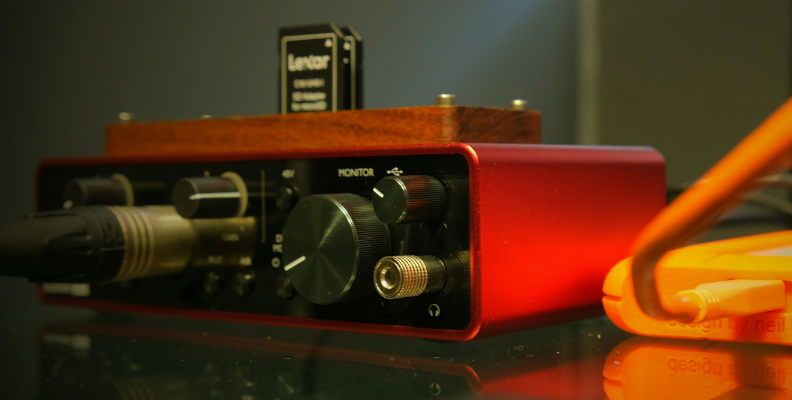
Any great music production setup is going to need a good audio interface. An audio interface is a box that takes real instruments or a microphone input and translates it into something your computer understands. A good quality audio recording is dependent on a good audio interface, so whether you're recording vocals, acoustic instruments, electric guitars, or anything else, you need an audio interface that will capture everything in the highest quality possible. If there's one area you don't want to scrimp and save on, it's this!
Studio Monitors
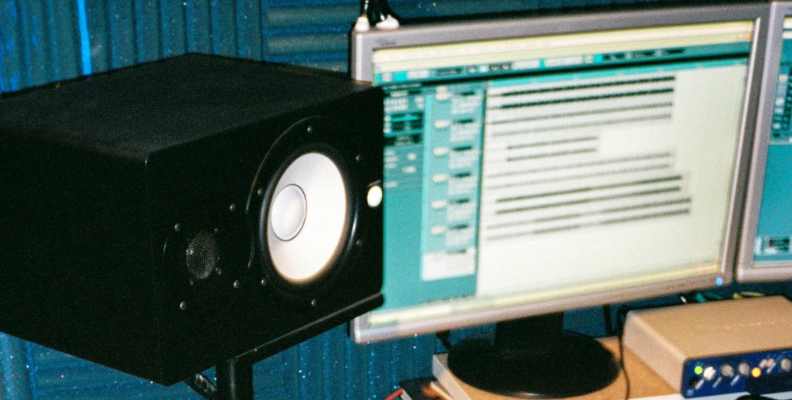
If you're serious about being a great music producer, you're going to need a great pair of speakers. While you can work with headphones, it's definitely preferable to work with speakers, especially during the mastering phase of music production. A good set of studio monitors will always pay dividends and will help you hear every nuance and detail in your recording so you can get the best out of the track. If you want your sound to be perfect, you're going to need good studio monitors.
Microphones
If you need to record vocals, choosing the right microphone can make the difference between capturing your singer at their best or ruining an otherwise great performance. USB-C microphones have the advantage of plugging directly into your computer without the need for an audio interface, and their quality has improved by leaps and bounds in recent years. However, the standard is XLR, and they are used in recording studios around the world for a good reason - they really are the best!
Common Mistakes Beginners Make and How to Avoid Them
Not everyone has a degree in music theory to guide them, and some mistakes rookie producers make can be easily avoided.
Firstly, don't rush things! Nothing ruins good production like having to rush things, and being able to take your time will mean you'll produce high-quality music without having to compromise.
Also, resist the temptation to crank everything up to 11! In bands, everyone wants to have their instrument or voice be dominant, but it's your job as a producer to ensure that they fit together. If you whack the levels up on everything, the end result will be a muddy mess.
Relatedly, don't overcomplicate things if it's not necessary. Sometimes simplicity is the key to getting the perfect sound quality. It can be easy to fall down rabbit holes of playing with endless plugins to achieve a sound. So it's good practice to work with a few plugins that help you develop sounds you're happy with and do your initial work with those.
On the flip side, don't rely on presets too much either. There's a skill to judging how much or little of an effect to use, and it's an important one to develop - don't just turn something on and hope for the best! Make small, incremental changes to see what effect it's having, then work with that.
Final Words
There's a lot to learn when it comes to being a great music producer, but with a little know-how and ability, you can easily pick up the skills you need. Before long, you will have the music industry at your feet!